
Steven Lawrence
Computer Science Tutor at Thomas College: Specializing in Programming & Databases
Loading...




Show all photos
Steven Lawrence
Bachelors degree
Enroll after the free trial
Each lesson is 55 min
50 lessons
20% off
/ lesson
30 lessons
15% off
/ lesson
20 lessons
10% off
/ lesson
10 lessons
5% off
/ lesson
5 lessons
-
/ lesson
1 lessons
-
/ lesson
Steven - Know your tutor
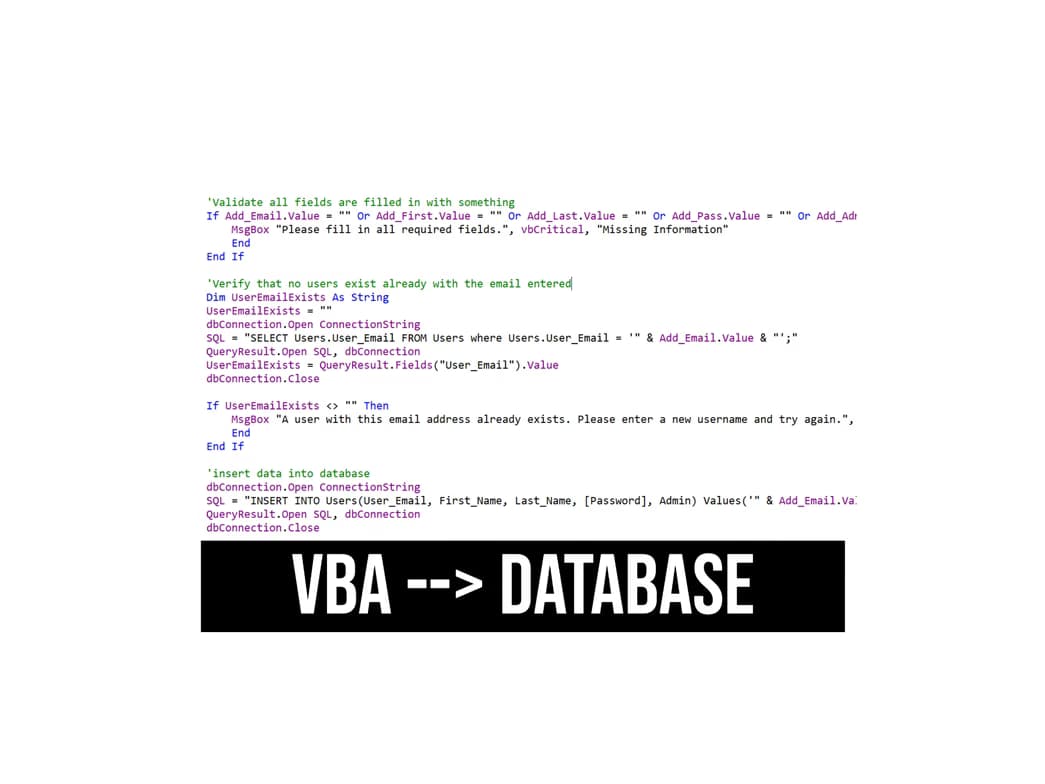
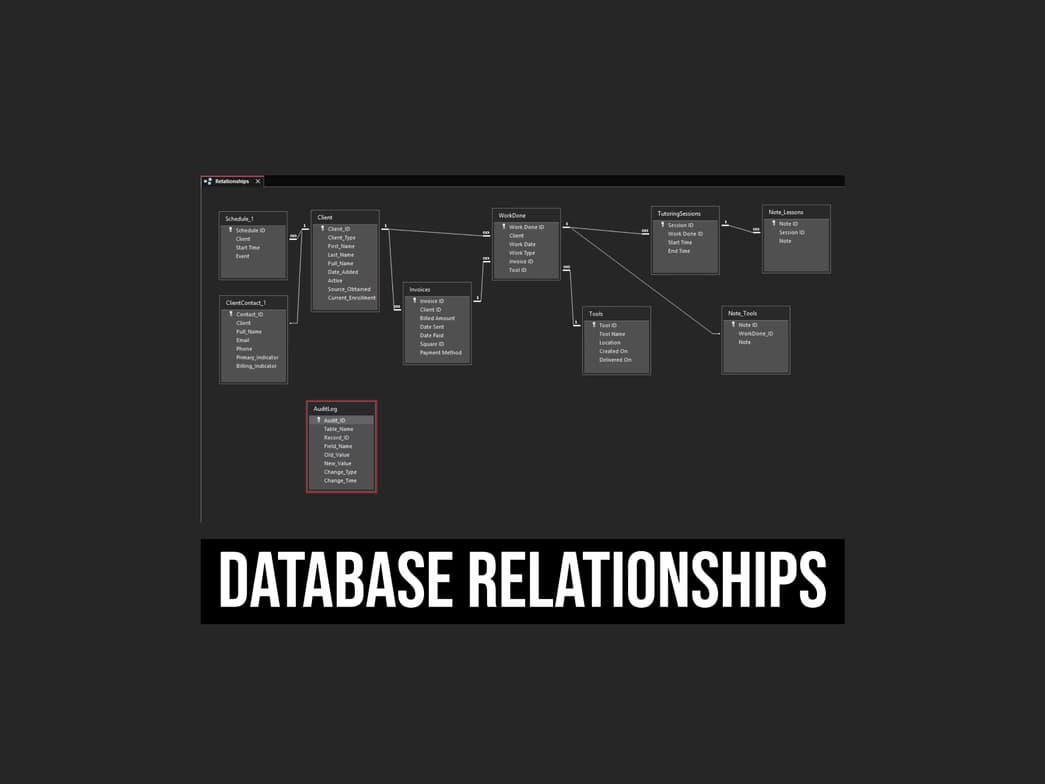
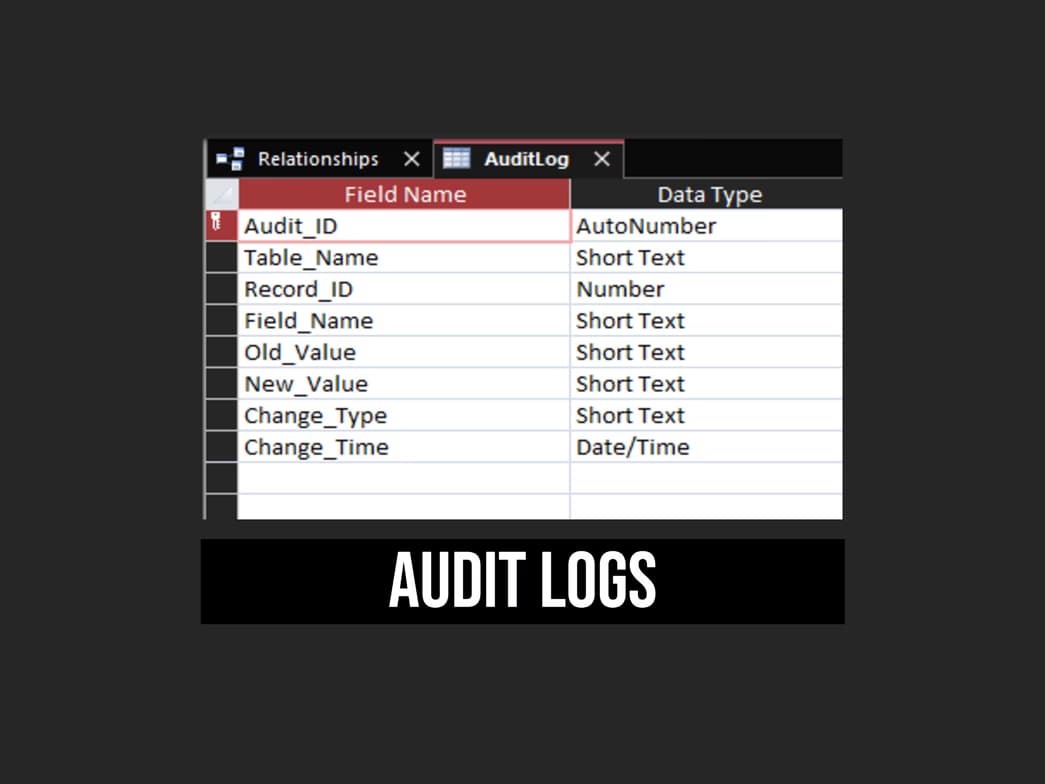
I am an experienced VBA developer with a deep understanding of Microsoft Access and database management. Over the years, I have built efficient, scalable solutions that streamline data processing, automate workflows, and enhance business operations. My expertise lies in designing structured, optimized databases that ensure seamless data retrieval and manipulation. One of my key strengths is breaking down complex problems into logical, manageable steps. Whether it’s designing relational database structures, optimizing queries, or automating reports with VBA, I focus on creating solutions that are both powerful and user-friendly. I teach my students how to visualize code execution, ensuring they understand how each function interacts within the database before implementation. My structured six-lesson series is designed to equip students with the skills needed to confidently work with Microsoft Access and VBA. From designing tables and queries to automating processes with macros and custom functions, my approach ensures students gain practical, real-world experience. If you're looking for a tutor who can simplify VBA and database management, enhance problem-solving abilities, and help you master Microsoft Access, I’d love to work with you!
Programming tutor specialities

Upskilling

Assignment help

Homework help

Debugging

Project help
Learner for programming class

Adult/Professionals

School

All levels
College
Programming class overview
Mastering VBA and Microsoft Access requires more than just learning syntax—it’s about designing efficient, scalable database solutions. My tutoring approach focuses on problem-solving, code design, and real-world application, ensuring students gain practical skills that translate directly into professional environments. I structure my lessons around three key steps: WHAT, WHY, and HOW. WHAT – We define the problem and identify the business rules shaping the project. A well-structured database starts with clear objectives, ensuring every table, query, and function serves a purpose. WHY – We analyze the reasoning behind each design choice. Understanding why certain database structures and VBA automation techniques are used helps students develop a strategic mindset, making their solutions more effective. HOW – Finally, we focus on execution. With the what and why established, we confidently implement VBA code and database structures optimized for performance and scalability. I foster a relaxed, interactive learning environment where students feel comfortable asking questions and exploring creative solutions. My lessons are project-based, centered around topics that genuinely interest each student—whether it’s automating reports, optimizing data entry, or designing relational databases in Microsoft Access. By prioritizing code design first, students learn to visualize how their VBA code interacts with the database before writing it. This leads to cleaner, more efficient programs that withstand real-world demands. My goal is to help students master Microsoft Access and VBA, ensuring they can confidently build professional-grade database solutions. Let’s create something powerful together!

Expert in debugging code
Breaks down coding issues into manageable steps.

Rated highly for assignment help
Clear, step-by-step support for assignments.
Highly rated for problem-solving approach
95% of students improve problem-solving skills and speed.
Your programming tutor also teaches

Databases
Visual Basic
Flexible Scheduling
Allows 1h early scheduling
Allows 1h early rescheduling
Can wait for 20 mins after joining

.svg)
10 day Refund
.svg)
Free Tutor Swap

Computer Science concepts taught by Steven
The Student and Tutor explored methods to improve the presentation and analysis of audit data using Excel. They focused on transforming raw data into user-friendly reports with visual indicators and discussed strategies for creating new tracking spreadsheets with automated calculations and conditional formatting.
Excel for Reporting & Visualization
Data Visualization for Comparison
Streamlining Data Entry & Analysis
Structuring Data for Audit Tracking
The student and tutor focused on improving Excel performance by addressing issues with conditional formatting and practicing advanced pivot table creation. They explored methods to troubleshoot crashing files, optimize data analysis through pivot tables, and implement calculated fields for richer insights. The session concluded with plans to continue these Excel skills in the following week.
Conditional Formatting and Performance
Pivot Table Creation and Manipulation
Excel File Performance Issues
The Student and Tutor reviewed essential Excel skills, beginning with data import and structure using the 'Text to Columns' feature. They then focused on transforming data ranges into Excel Tables, highlighting the benefits of tables for data management, filtering, sorting, and dynamic formulas. The session concluded with an introduction to basic formulas and conditional functions like SUM and SUMIFS.
CSV Data Import and Text to Columns
Excel Functions vs. Formulas
Sorting and Filtering Data
Data Formatting and Data Types
Excel Tables vs. Ranges
The student and tutor reviewed and optimized Excel formulas, distinguishing between functions and formulas. They practiced using `SUMIF` and addressed errors related to incorrect arguments and data structure, with the student assigned homework to correct specific formulas using relative references and avoiding hardcoding.
Understanding SUMIF Arguments and Errors
Functions vs. Formulas in Excel
Optimizing Calculations: Avoiding Unnecessary Functions
Hardcoding vs. Relative References
Data Structure and Analysis Separation
The Student and Tutor discussed advanced Excel functions for HR data analysis. The Student learned about using named ranges and dynamic tables for efficient data updating, as well as `SUMIFS` and `COUNTIFS` for data aggregation based on multiple criteria. The next steps include practicing these functions and building summary tables with dropdown filters based on a sample project.
Excel Tables for Dynamic Data
Named Ranges in Excel
SUMIFS Function for Conditional Summation
COUNTIFS Function for Conditional Counting
If Statements and Logic in Excel
Filter Function to reduce duplicated outputs
Unique Function for distinct rows
The Tutor guided the Student through using `IFS`, `SEARCH`, `ISNUMBER` and `VLOOKUP` in Excel to extract data based on a priority and assign compliance values. The Student reviewed initial steps, including cleaning and sorting data using `TEXTJOIN` and `FILTER` functions. The Student will review a previous lesson with their instructor on Tuesday, but requested an extension to include this lesson as well.
Text Join and Filter Function
Cleaning Data for Exact Matches
VLOOKUP for Data Extraction
ISNUMBER Function
IFS Function with Search
Teaching tools used by tutor

Visual Studio Code
Dynamic programming classes

Weekend lessons

Open Q&A

Note taking

Record lessons

Parent feedback

Coding tutors on Wiingy are vetted for quality
Every tutor is interviewed and selected for subject expertise and teaching skill.